How I built a heart rate workout game for iPhone and Apple Watch
INTENSITY turns a workout into a game you control with your heart rate. Each round sets a target zone. Stay in it and the music opens up and your score builds; drop out and the track goes muffled until you push back up. I took it from an idea to an Apple-approved external TestFlight beta as its only product owner, designer and developer. Because I'm a researcher, research went into the app from the first playtest.
What it looks like
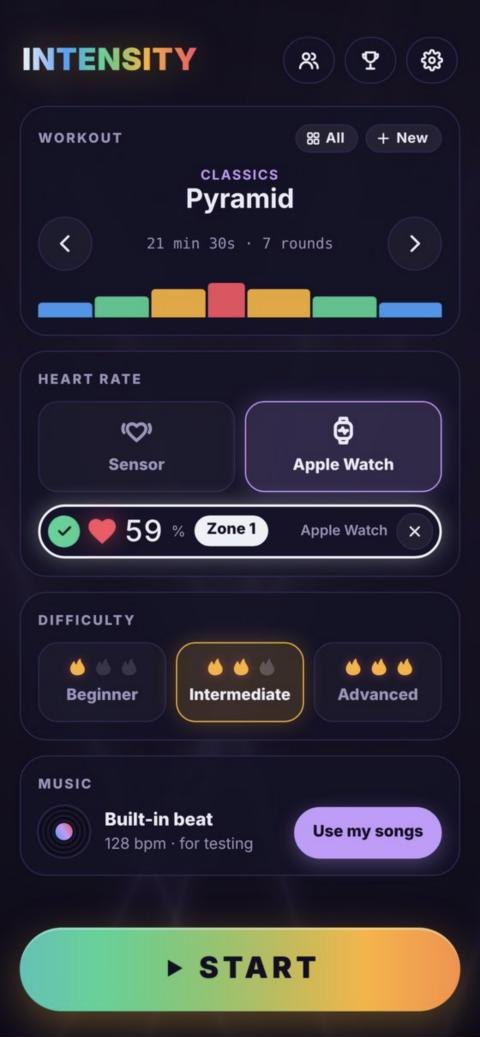
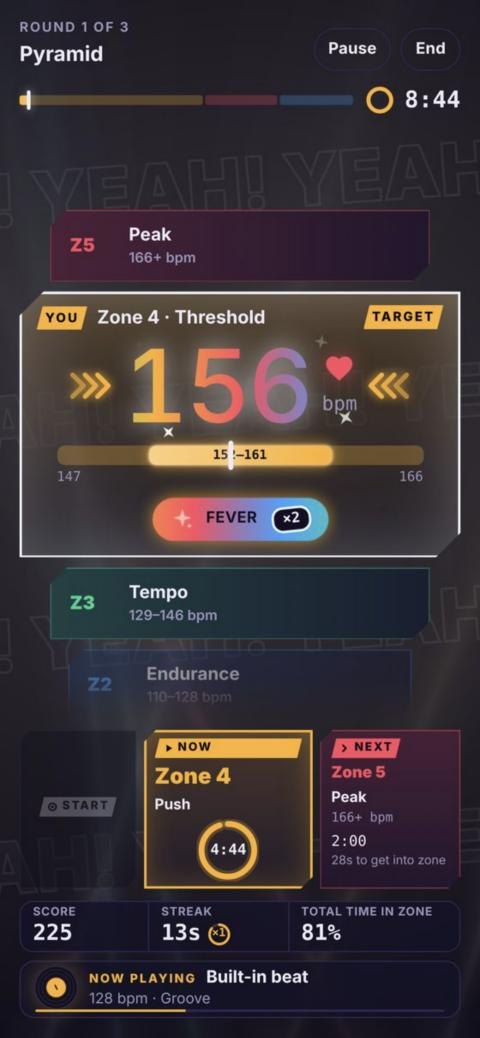
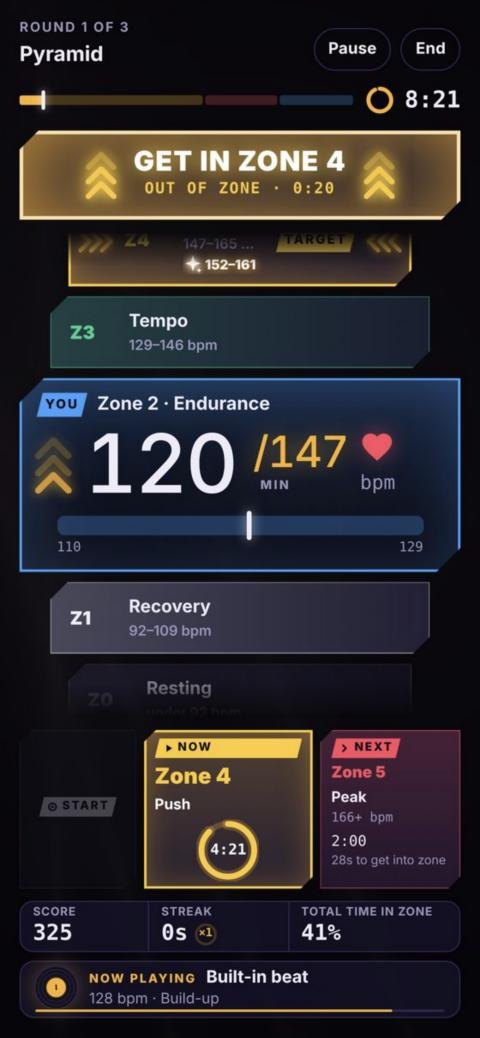
Why I made it
I wanted a workout that rewards effort the way a rhythm game does. The heart rate tools I'd used showed a number and a colour, and not much else. INTENSITY uses music and a light show instead: there are no buttons to press, and the game reads your heart rate about once a second.
How I ran it
Decisions written down
I wrote the requirements and seven design principles before building, and kept a decision log with the reasoning behind each choice.
Small versions, tested on real devices
I iterated through 37 versions, testing each one on an iPhone and an Apple Watch, with automated browser tests (Playwright) to catch regressions in between.
Research built into the product
I wrote 22 playtest hypotheses, each with a null and its likely confounds. The app exports workout data once a second and asks a short check-in question after each workout. That means what testers tell me can be checked against what actually happened in the session.
An example: missing heart rate
175 of 419 seconds without a reading
A game that scores your heart rate is only fair if the heart rate arrives. One workout export showed 175 of 419 seconds with no reading. I specified fixes for both the Apple Watch and Bluetooth straps:
- gaps in the signal are left unscored, so a dropout doesn't count against the player
- readings are resent
- the sensor reconnects automatically
This is the same job I do as a researcher, pointed at my own product: look at what happened, not only at what people say happened.
Working with AI
Claude coding agents write the code. My part is deciding what to build and why, setting up how it's tested, and judging whether it works for the person holding the phone. I handle the release side myself: Xcode builds, TestFlight betas and App Store Connect.
If you'd like to try it, you can request a beta invite. A chest strap gives the most responsive game; an Apple Watch works too.